
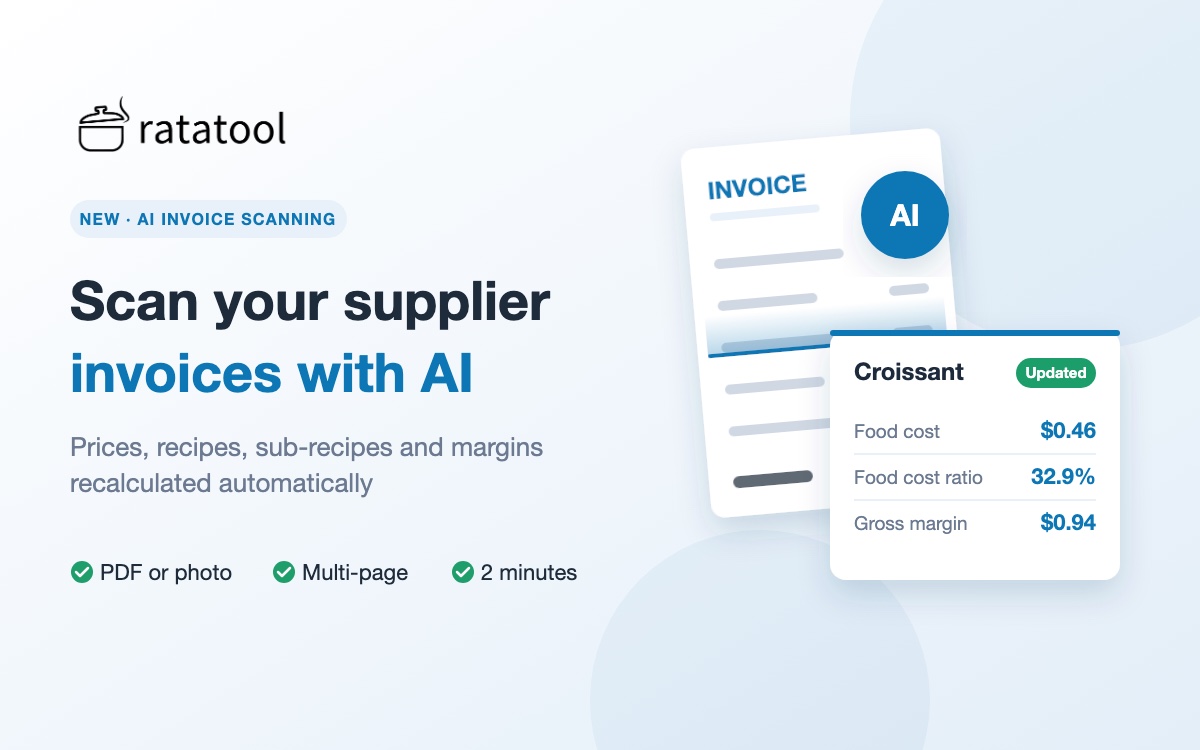
Every week, your suppliers change their prices. And every week, your recipe cards drift a little further from reality. Typing invoices in by hand takes time, so it gets put off… and the real food cost of your dishes moves away from the one you think you know. The result: selling prices based on outdated figures, and margins that quietly shrink without anyone noticing.
With Ratatool's invoice scanning, you simply drop in your supplier's invoice. AI reads the lines for you, your ingredient prices are updated in a few clicks, and your whole cost chain is recalculated automatically: sub-recipes, recipes, menus, quotes and margin indicators.
How does it work?
1. Drop your invoice
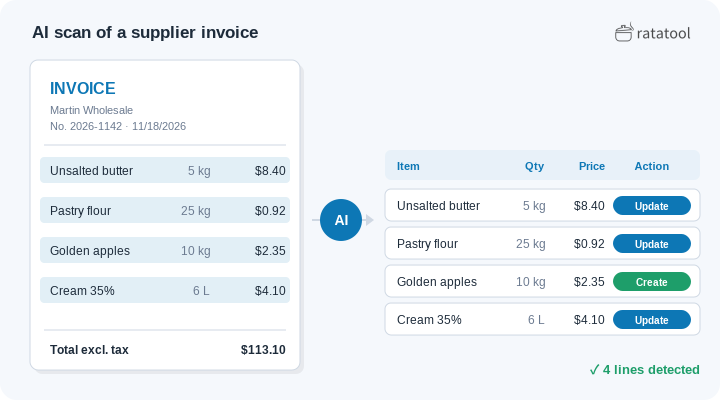
From the Ingredients > Scan Invoice menu, drag and drop your invoice as a PDF or image (JPEG, PNG, TIFF). A photo taken with your phone works too. Multi-page invoices are supported.
2. AI extracts the lines
In a few seconds, every line of the invoice is analysed: item code, description, EAN barcode, quantity, unit, pack size, price and tax. Everything appears in a clear table that you can correct if needed before moving on.
3. Check before saving
For each line, you choose the action: update the existing ingredient or create a new one. You can also tick Insert in stock to add the goods you received straight into your inventory.
4. Everything is recalculated
The new prices are saved… and that's where the magic happens.
The domino effect: one invoice, your whole menu recalculated
In Ratatool, everything is connected. An ingredient goes into a sub-recipe, the sub-recipe goes into several recipes, and the recipes make up your menus and quotes. When an ingredient's price changes, every level is recalculated automatically, without you opening a single recipe card.
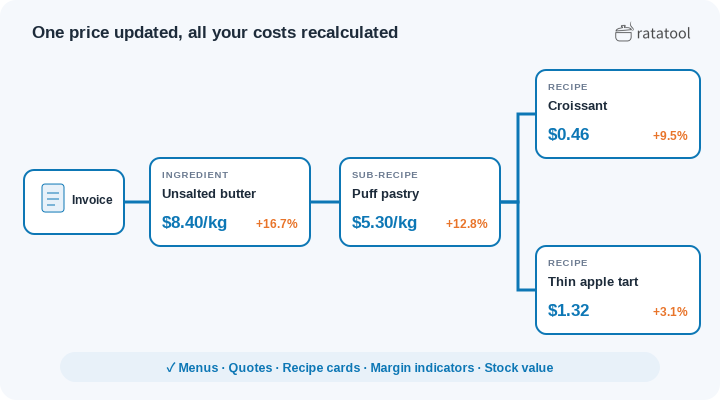
Here is a concrete example. Today's invoice shows butter at $8.40/kg instead of $7.20/kg. After the scan:
- The ingredient "Unsalted butter" moves to $8.40/kg (+16.7%).
- The sub-recipe "Puff pastry", which is 50% butter, goes from $4.70 to $5.30 per kilo.
- The recipes using this pastry are recalculated: the croissant's food cost goes from $0.42 to $0.46, the thin apple tart from $1.28 to $1.32 per portion.
- The menus and quotes that include these recipes show their new cost price.
- Your stock value reflects the latest purchase prices.
- Your PDF recipe cards are up to date from the next export.
A single ingredient can appear in dozens of preparations. Without automatic recalculation, you would have to go through every card by hand. With invoice scanning, it is done at the same time as entering the invoice.
Margin indicators you can trust
Food cost is only part of the story: what matters is what you keep. As soon as prices are up to date, Ratatool recalculates for every recipe, menu and quote:
- The food cost price per portion or per piece;
- The food cost ratio (as a % of your selling price);
- The markup between selling price and cost;
- The gross margin in value and as a percentage.
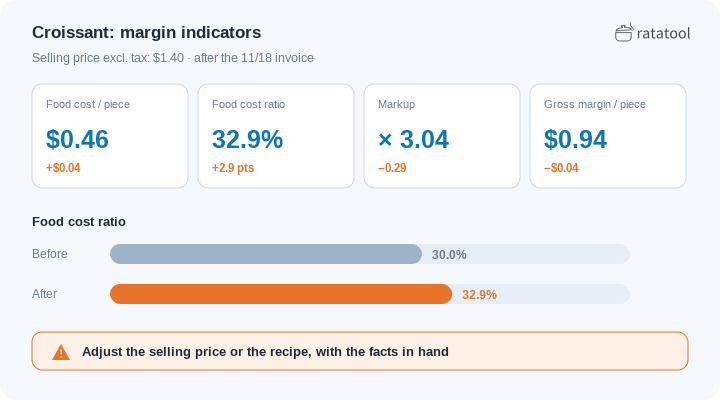
In our example, the croissant sold at $1.40 excluding tax sees its food cost ratio rise from 30.0% to 32.9% and its gross margin drop by 4 cents per piece. Doesn't sound like much? At 200 croissants a day, that is almost $3,000 of margin a year disappearing silently. With up-to-date figures, you see it straight away and decide: adjust the selling price, rework the portion size, switch supplier, or promote other products.
What you gain
- Time: no more line-by-line typing, an invoice is handled in two minutes.
- Reliable cost prices: your recipes, sub-recipes, menus and quotes follow your real purchase prices, invoice after invoice.
- Margins under control: spot the recipes that are no longer profitable right away and act before the end of the month.
- Accurate quotes: your catering and event proposals are based on today's prices.
- Fewer errors: no more typos on a price or a quantity.
- Up-to-date stock: receiving goods and updating prices happen in a single step.
- A quick start: just signed up? Scan your latest invoices to build your ingredient list without typing everything.
Good to know
- Updates match the exact name of the ingredient (case-sensitive): keep the same descriptions as on your invoices for the best results.
- Invoice scanning is included in the Professional and Enterprise plans, with a monthly number of pages depending on the plan. See the pricing page.
- Prefer working with a spreadsheet? Importing from a CSV (Excel) file is still available.
Try it now
Take your latest supplier invoice and give it a go: in two minutes, you'll know whether your margins are still what you thought they were.